 Lyndon Li's Blog
Windows下使用Cygwin打造终极shell
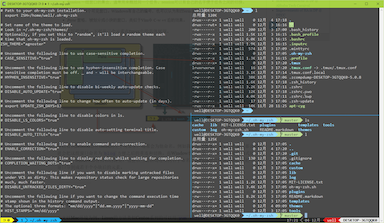
一直以来都是putty ssh 到linxu下使用shell,试着用Cygwin来在windows中原生打造一个shell环境。Cygwin自带mintty很好用,基本配置后配合tmux或screen就可抛弃xshell/securecrt/putty等专用客户端了。
以下是我的minity配色参考(.minttyrc)
BoldAsFont=no
Font=Powerline Consolas
FontHeight=12
Transparency=medium
CursorType=block
Term=xterm-256color
BellFlash=no
ForegroundColour=215,215,215
BackgroundColour=48,48,48
CursorColour=135,175,215
Black=48,48,48
Red=255,95,95
Green=175,215,135
Yellow=215,215,175
Blue=135,215,255
Magenta=215,175,215
Cyan=135,215,175
White=215,215,215
BoldBlack=48,48,48
BoldRed=255,95,95
BoldGreen=175,215,135
BoldYellow=215,215,175
BoldBlue=135,215,255
BoldMagenta=215,175,215
BoldCyan=135,215,175
BoldWhite=215,215,215
FontSmoothing=full
AllowBlinking=yes
Locale=zh_CN
Charset=UTF-8
Windows下安装Cygwin以及包管理器
Cygwin下也有类似Linux下包管理工具apt-cyg,可以方便的通过网络安装各种软件。 1. 下载安装:http://cygwin.com/setup.exe 2. 选择安装源及软件,如需安装apt-cyg需安装以下软件包:
wget
tar
gawk
bzip2
git
Cygwin安装完成后打开Cygwin Terminal安装apt-cyg包管理器:
$ git clone https://github.com/transcode-open/apt-cyg.git
$ cd apt-cyg
$ install apt-cyg /bin
完成后就可以使用apt-cyg安装软件包了,先设置源(这里使用网易源镜像)
$ apt-cyg -m http://mirrors.163.com/cygwin/
$ apt-cyg install vim
安装zsh & oh-my-zsh,tmux,powerline
使用apt-cyg安装zsh:
$ apt-cyg install zsh编辑Cygwin快捷方式,使用zsh启动shell
D:\cygwin64\bin\mintty.exe -i /Cygwin-Terminal.ico /bin/zsh --login安装配置oh-my-zsh
$ wget https://github.com/robbyrussell/oh-my-zsh/raw/master/tools/install.sh -O - | sh安装tmux
$ apt-cyg install tmux安装powerline(Mintty需要使用patch过的字体才能正确显示符号)
$ pip install powerline-status使用gpakosztmux配置
$ cd
$ rm -rf .tmux
$ git clone https://github.com/gpakosz/.tmux.git
$ ln -s .tmux/.tmux.conf
$ cp .tmux/.tmux.conf.local